Browser Settings
We’ve had a great response on our new website. People have reported they really appreciate the new layout and features here at Alamance-NC.com and Alamancelibraries.org. We hope you enjoy the new website and the features we have for you here. If you enjoy the website, but find that it’s not behaving quite right, you may want to check your browser settings on things like compatibility view.
Remember, if you ever have questions or comments about the website, please feel free to contact us!
Questions About Our New Website
Any time a website changes, there’s often questions from users on how the experience has changed. Hopefully, we can address some of your questions here.
What kind of browser do I need to view this website?
Our website is viewable on any modern browser, including Microsoft Internet Explorer, Mozilla Firefox, Google Chrome, and Apple Safari. It is also viewable on mobile browsers on both the Android and iOS systems found on many smartphones and tablets. We do recommend that you update your browser to the latest version possible in order to both improve your experience here at Alamance-NC.com and to ensure that you are browsing as securely and safely as possible.
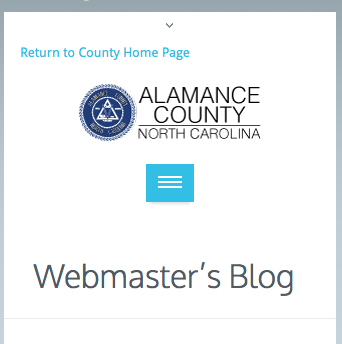
Help! My menu disappeared / I don’t see a menu!
The menu is there. What’s happened is that your browser is simply not wide enough to accommodate our full menu, and so our responsive design has turned it into a blue box with white lines affectionately referred to as “the hamburger”. Click on this and you should have the full menu available to you
Is this website mobile-friendly?
We have worked hard to make this website as mobile-friendly as possible, using a responsive web design that resizes the website based on your browser’s width. Therefore, a browser on a phone should automatically resize most items at this website.
The website works, but things look funny, like the font is too small or the pictures are in the wrong place.
This is probably due to an outdated browser, especially Internet Explorer. We recommend you update your browser. Please go to the manufacturer’s website to learn more about updating your browser.
I found a broken link / picture / document / website / 404 error!
I’m not surprised. When you have over 20,000 pages and files, sometimes links get broken. You can contact the county webmaster by e-mail to let him know.
Where’s the Search Bar?
As of the initial launch of this site, there is no site search yet. The reason is because with the changeover to the new website, it will take our search provider a few days to get acclimated to our new site. Once that happens, we’ll try to make searching available as quickly as possible. We realize this makes things a little difficult, and we hope that this won’t take long to fix.
We sincerely hope you enjoy our website. As always, if you have any questions, you can contact our county webmaster.

About Our New Website
Welcome to the new county website! This project has been about 2 years in the planning and has given me, as the county webmaster, and our content providers throughout the departments a challenging couple of months worth of moving our data over from one site to the other. I sincerely hope you enjoy the changes here at the site. I’d like to take a couple of minutes to point out some of the big changes you may encounter here.
First, our website has a new, cleaner design that we believe gives a more professional, less cluttered experience to our users. A big shift in this design is that our subpages that have menus will now have them on the right side of the screen, meaning that the most important information will begin on the left-hand side of the screen. This is a big shift from the way we’ve done navigation in the past, but we have done it in hopes of improving our site’s usability for you.
One of the biggest changes, however, is in the way our site behaves. If your browser’s resolution is at least 800 pixels wide, you’ll see our full site with the convenient menus that scroll down the screen with you as you read our web pages. This is exactly how you’d expect the web to work on desktops and laptops, but what about smaller devices like cell phones and tablets? Well, if you squeeze your browser down to less than that, you’ll likely see something like the image to the right.
This is called a responsive design, and it’s one of the biggest new features here at Alamance-NC.com. Basically, the website tailors itself to your personal browser. In this case, it turns that nice, big menu you see at the top of your desktop or laptop into a fully-functional blue button that becomes a drop-down menu that allows you to navigate everything on our site. Most of our images and embedded features are re-sized to your browser, meaning that our website should be friendly to everyone from big-screen users to iPhone and Android surfers. And while not every feature at our site is responsive (there are some elements that are beyond our control), we believe that this design change will make your use of our site easier and more convenient, regardless of what kind of device you’re using.
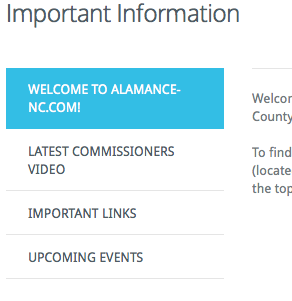 One other big change at our site is what we’re calling “tours”. Some of our pages, such as our home page, are cleaning up the clutter by moving their information to convenient tabbed navigation. These are simple-to-use features that allow you to click on a tab and get information, including maps, news, videos, and other features available here at Alamance-NC.com. This allows us to keep information more cleanly organized and makes it easier for you to find exactly what you’re looking for.
Finally, there are a few other changes that you may need to be aware of. Many of our website addresses have changed, so you may want to re-check and update your bookmarks. We are also changing our FTP addresses like our GIS FTP site and have updated our links accordingly, so if you use that service, please check and update your links to the new address. County e-mail addresses should remain the same.
These are just a few of the changes made here at Alamance-NC.com. We hope that you’ll take the time to explore our new website and let us know what you think in the poll below.
A Brief History of Time on Alamance-NC.com
A Brief History of Time on Alamance-NC.com
Frames
It all began in late 1998, when Alamance County first began experimenting with a website. After a few internal test sites, our first website launched on July 1, 1999. It featured the latest in frames-based website browsing and 6 – count ’em – 6 departments with department websites. Designed and managed in Microsoft FrontPage Express, this initial website was, essentially, a placeholder for our first major upgrade in Spring 2000.
Blue Tabs
By Spring 2000, the previous site was already dated and a desire to move away from problematic frames-based navigation led to the introduction of the website code-named “Blue Tabs” because, well, it had blue tabs at the top of the page.
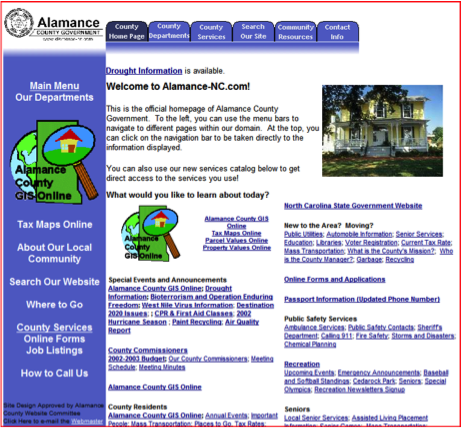
While the initial launch was fairly quiet, the new site featured a few features that made it extremely popular with our users.
- The top of the site had tabs that allowed users to more easily navigate the site to various departments and services.
- The tables-based layout was much more compatible with then-modern browsing than the dated frames were.
- The front page was dedicated to being a portal, providing direct navigation to sub-pages for users at a time when menu functionality wasn’t as easy as it is today.
- A greater use of photos and graphics to assist users in navigating the site to the pages they needed to go to.
While Blue Tabs had its weaknesses, it was a very popular designed that the county stuck with for over 4 years.
Next Step
The “Next Step” website launched in December 2004 and represented a significant shift in Alamance County’s web presence.
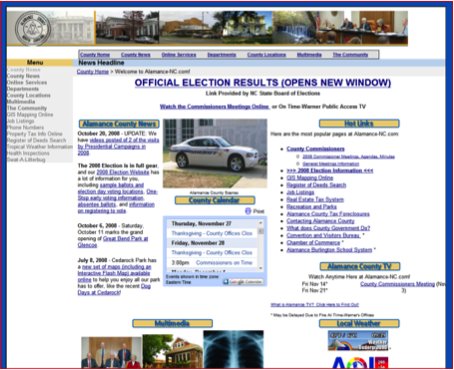
- The county home page started including news and an event calendar on the home page.
- Vastly improved search and navigation allowed for a better website visitor experience, allowing them to locate their information more quickly and accurately.
- Video production now allowed the county to publish videos of events, information, education, and commissioner meetings.
- More departments had their own website, and those departments now had easier management over their own information.
- Use of Flash technology allowed users to experience county information in a new way that was, at the time, very cutting-edge.
The Next Step website was heavily used. As technology moved on, however, the needs of the county and its website visitors had changed, and eventually, the time came to move forward.
Waves
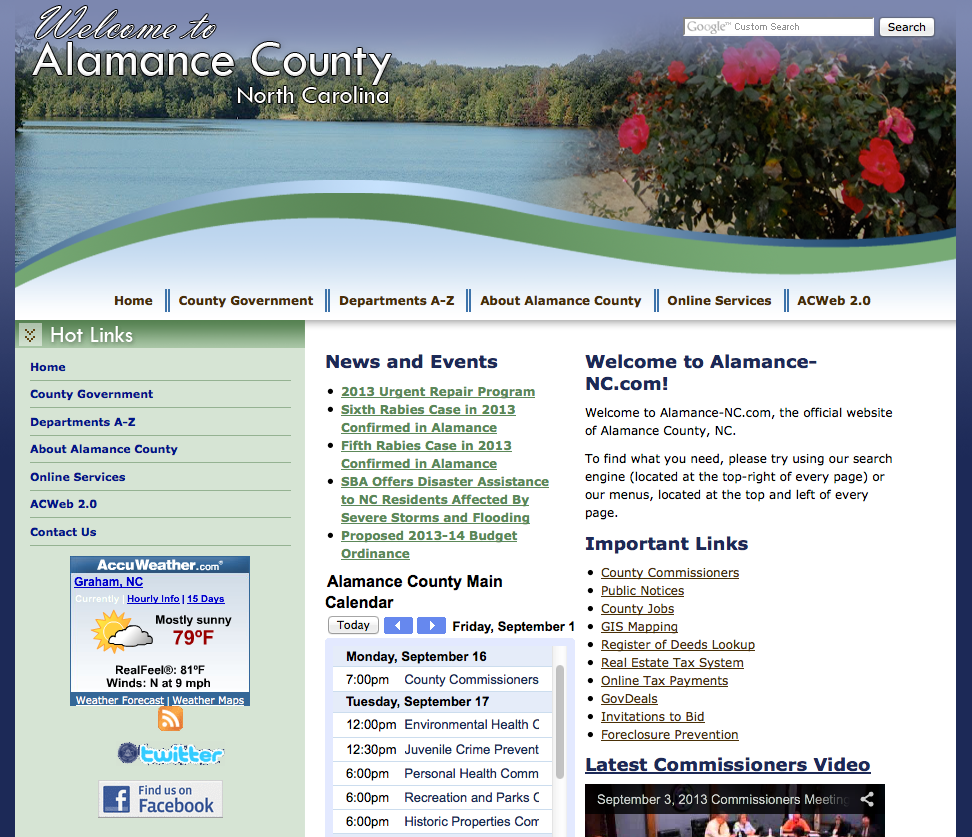
In April 2009, Alamance County launched a new revision designed to take advantage of newer web technologies while improving the overall user experience. An 8-month redesign added new features, new capabilities, and improved graphics:
- Important news and events are updated on the front page and made available through Twitter and RSS feeds.
- All county departments now have a web presence and an improved capability to get important information out to the public.
- Improved integration of videos.
- Vastly improved site navigation.
- Attractive graphics and design.
This extremely popular iteration of our website has served the county and its citizens well. However, time marches on and the web and its users continue to develop.
15 years after our initial experimentations with the web, Alamance County is pleased to introduce you to the new Alamance-NC.com. We hope that you will find this website useful and enjoy the improved features and design of our new web presence.